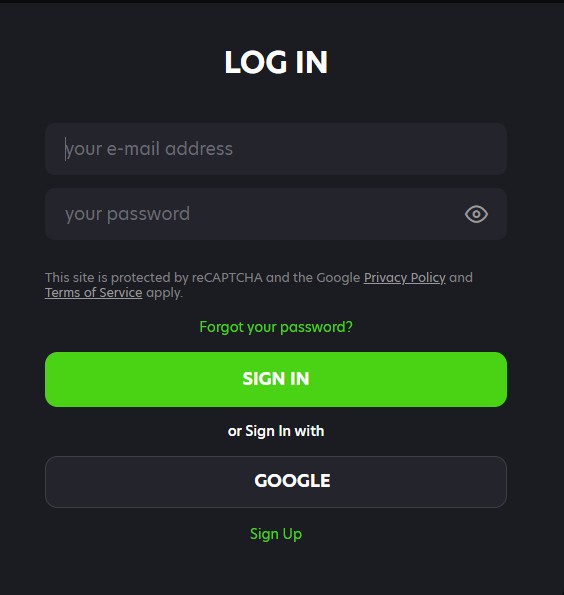
 Verification is required before your first withdrawal - not at registration. You can play, deposit, and use bonuses without completing it, but no withdrawal will be processed until all three document types have been submitted and approved.
Completing verification early after registration is the single most practical step you can take to ensure fast payouts later. Accounts with approved verification process withdrawals significantly faster than those that trigger the check at the point of their first cashout request.
The verification trigger is tied to your first withdrawal request. The system will not process a payout on an unverified account, so having documents ready in advance removes waiting time from the payout cycle.
Registration requires only an email, password, name, date of birth, and address. No documents are needed to create the account or begin playing.
Three categories of documents are required. All three must be submitted and individually approved before the first withdrawal is released.
| Document Type | Accepted Examples | Key Requirement |
|---|---|---|
| Government-issued photo ID | Passport, driver's licence | Must be current and not expired; full name and photo clearly visible |
| Proof of address | Utility bill, bank statement | Must be dated within the last 3 months; address must match account profile |
| Payment method confirmation | Card photo, e-wallet screenshot, crypto wallet address | Must confirm you are the owner of the payment method used for deposits |
A checklist version for quick reference:
Documents are uploaded directly through your account profile. The path is the same for all document types.
Each document uploads separately. You do not need to submit all three in the same session - partial submissions are saved and you can return to upload the remaining documents at any time. The verification clock begins once all three have been submitted.
Standard verification is typically completed within 24 hours of all three documents being submitted. During peak periods this may extend slightly but rarely beyond 48 hours for straightforward cases.
If your first withdrawal request is submitted at the same time as your documents, the withdrawal enters the pending queue but will not be processed until verification is approved. In practice, submitting documents a day before your first withdrawal request removes this sequencing delay entirely.
Proof of address requirements are specific and commonly misunderstood. Using a document that does not meet the criteria is one of the most frequent causes of initial rejection.
| Document | Max Age | Requirement |
|---|---|---|
| Utility bill (electricity, gas, water, internet) | 3 months | Full name and address, issuer clearly visible |
| Bank statement | 3 months | Full name, address, bank name, and statement date visible |
| Government correspondence (rates notice, tax letter) | 3 months | Full name, address, issuing authority clearly visible |
Documents that do not qualify include mobile phone bills (accepted by some but not all processors - use a fixed utility to be safe), PO Box addresses, and documents where the address shown does not match the residential address in your account profile. Screenshots of online statements are generally accepted provided all required fields are clearly legible.
The payment method document confirms that the account used to deposit belongs to you and not a third party. The specific document required depends on the method used.
If multiple deposit methods have been used, you may be asked to verify each one. The Verification tab will indicate which methods require documentation.
Video verification is an additional step that may be requested in specific circumstances. It is not part of the standard KYC process for most accounts.
If you receive a video verification request, respond promptly to avoid delays to any pending withdrawal. The team does not initiate video calls without a prior email notification.
Only one account per person is permitted across the platform.
Duplicate accounts are detected automatically through KYC cross-referencing. If a second account is created, both accounts are subject to review and the newer account may be closed with balances assessed under the Terms and Conditions. If a second account was created by mistake, contact support immediately before depositing into it.
Once all three documents are approved and verification is confirmed, your account is fully unlocked for withdrawals. An email notification is sent to your registered address when approval is granted.
After confirmation, the full withdrawal process is available through the Cashier - Withdraw tab. Select your method, enter the amount, and submit. The standard 24-hour pending window then applies as it does for all accounts. Verified accounts with higher VIP tiers may also unlock priority withdrawal processing, which reduces queue time after the pending period ends.
Rejections are almost always correctable. The team provides a reason with each rejection which tells you exactly what to fix.
Resubmit corrected files through the same Profile - Verification path. Each resubmission triggers a fresh review and typically receives a response within 24 hours.
Standard review is within 24 hours. If this window has passed without a decision, there are a few things to check before escalating.
Live chat can check the status of a pending verification but cannot approve or accelerate documents - that requires the verification team's email queue.
Receiving a video verification request is not a sign of a problem with your account - it is an additional identity check used for specific account circumstances.
Video verification requests are managed by the verification team only - live chat cannot complete or substitute for this step.
A duplicate account notice is issued when the system identifies that a second account has been created under the same identifying information as an existing account.
Acting quickly and transparently when a duplicate notice is received gives the best outcome. Delays or attempts to use the second account while under review are treated more seriously under the Terms and Conditions.
Verification is required before your first withdrawal. It is not required at registration. You can register, deposit, use bonuses, and play without submitting any documents - the check is triggered when you first request a payout.
Three documents are required: a government-issued photo ID (passport or driver's licence), proof of address (utility bill or bank statement dated within the past 3 months), and payment method confirmation (card photo, e-wallet screenshot, or bank statement showing your name and the account used for deposits).
Log in, click the account icon, select Profile, go to the Profile tab, then select the Verification tab (third tab). Each document type has a dedicated upload field. Accepted file formats are JPG and PDF.
Standard verification is typically completed within 24 hours of all three documents being submitted. During peak periods this may extend to 48 hours. Submitting documents in advance of your first withdrawal request removes any sequencing delay.
Common rejection reasons include blurry images, expired documents, name or address mismatches between the document and your account profile, or using an unaccepted document type (such as a mobile phone bill for proof of address). The rejection email includes the specific reason - correct the issue and resubmit via the same Verification tab.
Yes, in specific circumstances - typically for large win payouts or accounts flagged for additional security checks. If video verification is required, instructions are sent to your registered email address. The process involves presenting the same photo ID used during initial verification while visible on camera.






© 2026 Neospin All rights reserved